

Retail Inventory Control Software
Your System Says It’s In Stock.Can your customer buy it?
Stock discrepancies and shelf gaps can leave sales opportunities unnoticed. StokSmart helps your team identify what needs attention, verify stock physically, and manage discrepancies through review and resolution—alongside your existing retail systems.
See StokSmart in ActionFind Your Retail Challenge ↓Explore the workflow in a retail demo and discuss how it could fit your operation.
 Illustrative preview
Where is inventory letting your retail operation down?
Find the situation your team recognises. Explore how StokSmart helps you investigate, take action, and verify the result.
Customer availability
Stock in your system.Missing from the sale.
A product stops selling, but your system still shows stock. A targeted physical check helps your team distinguish a stock discrepancy from another availability issue.
StokSmart flags suspicious no-sales patterns and directs a targeted physical check—helping your team investigate potential missed sales.
Six units in the system. Zero in the store.
A product normally sells every day. Sales stop, but the ERP still shows six units. StokSmart flags the product for investigation, and the team follows it through a physical check, review, and resolution.
01
Detect and understand
Sales have stopped despite positive recorded stock. StokSmart identifies a situation that warrants investigation.


02
Prioritise and assign
The store receives a targeted task to verify the product’s physical quantity and availability.

03
Verify physically
The employee finds zero units and records the count. The suspected issue is now a verified quantity discrepancy.
Physical count: 0

04
Review and resolve
The finding follows the retailer’s configured rules. The responsible manager can validate it or request a recount.

05
Correct the record
Once approved, the ERP stock quantity is automatically corrected from six to zero. The history records the check, finding, review, and action.
Recorded quantity: 6 → 0
After approval

The stock record is now correct.
But the customer still cannot buy the product.
Correcting the quantity resolves the stock discrepancy. Restoring availability requires further action and confirmation that customers can buy the product again.
06
Follow through on availability
The team determines whether replenishment, a transfer, or another action is required—and confirms customer availability.

No-Sales Checks / NOSBOS
Highlight products that warrant investigation when sales stop despite positive recorded stock. Employees check physical quantity and availability, then record their findings.
Gap Chasing
When your team spots a shelf gap, StokSmart shows the expected stock quantity and generates a stockroom picking list. If the physical check confirms the item is missing, StokSmart automatically adjusts the ERP stock quantity and alerts the manager.
Auto-Reshelving
Generates picking tasks using configured sales triggers, helping employees locate stock and replenish the shelf.
Keep the signal, physical findings, review decision, and availability follow-up traceable.
A no-sales alert is a reason to investigate. Physical verification establishes whether there is a stock discrepancy or another availability issue.
Explore the detection, physical-check, and review process in a retail demo, including how availability follow-up could fit your operation.
Retail inventory accuracy
Find the difference.Verify it.Resolve it.
When recorded stock differs from physical stock, replenishment decisions, availability checks, and financial reporting can rest on the wrong numbers.
StokSmart helps your team count, capture discrepancies, and move findings through review—so corrections are based on physical evidence.
Retail Inventory Discrepancy Case


Same garment SKU
Recorded quantity
12
Physical count
9
Difference
−3 units

Finding recorded
Record the count and discrepancy. The manager is alerted according to the configured review rules.

Manager review
The manager can request a recount or a photo before deciding.

Approved correction
Once approved, StokSmart immediately and automatically updates the ERP stock quantity.
Routine and Focus Counts
Support ongoing checks and targeted investigations at SKU, store, warehouse, or bin level.
Negative-stock investigation
Physical checks and transaction review help establish the quantity behind a negative recorded balance.
Discrepancy Type Breakdown
Makes recorded differences easier to examine and identify for further investigation.
Controlled review
Configured rules route findings to the appropriate manager for review. A recount or photo may be requested. Once approved, the correction automatically updates ERP stock.
Move from a disputed stock figure to a verified quantity, a reviewed decision, and a recorded resolution.
Routine counts maintain coverage. Focused counts help investigate where there is a reason to look closer.
Inventory priorities and planning
Give your team a clear place to start.
Thousands of products. Multiple locations. Limited time to check them. StokSmart brings insights, item priorities and scheduling together to help your team organise checks around store capacity.
BI & Insights
Review SKU and store performance, discrepancies and comparisons to identify patterns and decide where to investigate.
AI Prioritization
Use item-ranking criteria to direct focused checks towards products that deserve attention.
Dynamic AI Scheduler
Schedule checks using item priorities and store capacity, so planned work fits the team’s available time.
Planning
Organise the scope and timing of counting activities and track progress across your operation.
Know what needs checking, why it deserves attention, and when the work should happen.
Keep routine counts for ongoing coverage, with focused checks where signals warrant closer investigation.
Receiving
Expected quantities
SKU A · 120
SKU B · 80
SKU C · 60

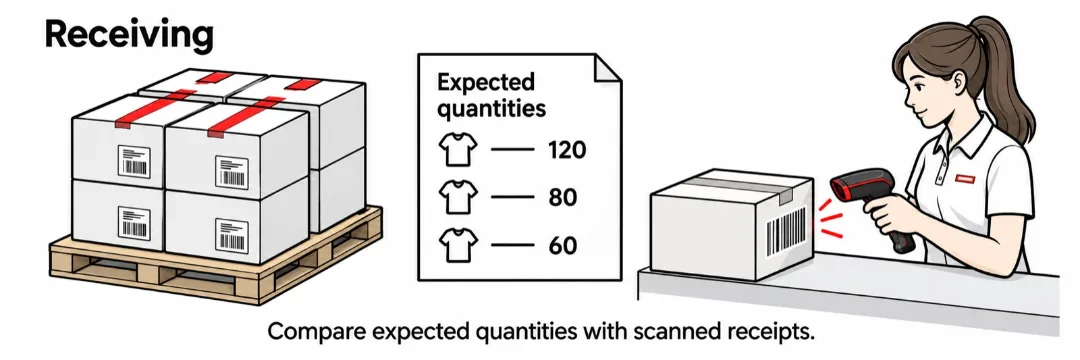
Compare expected quantities with scanned receipts.
Stock receiving verification
Check what arrived.Focus on what needs checking most.
A delivery can arrive with quantities that differ from the expected stock. StokSmart gives your team receiving-check tasks tailored to its store, with risk ranking to focus on high-priority products.
When time is limited, StokSmart selects items for a partial check. Your team scans and verifies those items, then records any discrepancies.
Store-specific task
Your team receives a receiving-check task for its store.

Risk-based priorities
StokSmart ranks the checks to help your team focus on high-priority products.
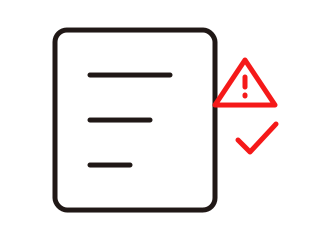
Targeted partial check
When time is limited, StokSmart selects the items to check. Employees verify them and record any differences.
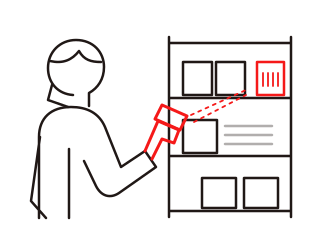
Reception / Product Inbound
Receive checking tasks tailored to your store. Compare expected quantities with scanned receipts, using risk ranking to focus on high-priority products.
Smart Sampling
Don’t have time to check the full delivery? StokSmart selects items for a partial check, helping your team verify priority products and record discrepancies.
Capture discrepancies at reception, so your team has a clearer starting point for resolving them.
Risk ranking helps your team prioritize checks. Smart Sampling supports a targeted check when time is limited.
Stock condition and value
Maketimely decisionson stock at risk.
Stock can be physically present and correctly counted, yet still need attention. Approaching expiry, a markdown decision, or an unresolved stock status can leave teams unsure what to sell, separate, return, or remove.
Delays can reduce the options available to recover value. StokSmart helps your team record affected stock and move the appropriate decisions through review, following your company’s policies.
Expiry approaching? Review the selling action.
Identify affected stock early and review a markdown or another policy-based action while there is still time to act.
Stock not selling? Review where it could sell.
Every week, StokSmart recommends stock balancing between stores for each SKU according to its sales potential. Review a transfer to another store or a markdown, following your company’s policies.
Approaching expiry


Expiry Date Management
Identify stock approaching expiry and take timely action, following your company’s review process.
Markdown decision
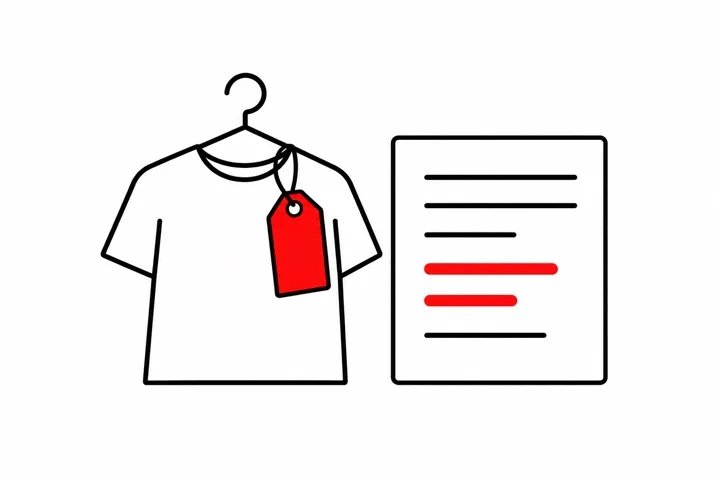
Price Adjustment Management
Manage markdown decisions and supporting information through the appropriate review process.
Status-change request

Remote Status Change
Request a stock-status change with supporting evidence and manager review, following your company’s policies.
Identification
Supporting evidence
Review
Appropriate action
According to company policy
Give affected stock a clear decision path—from identification and supporting evidence to review and the appropriate action.
Knowing the quantity is only part of the job. Your team also needs to know what should happen to it.
Stock discrepancy review case
Stock discrepancy under review
Awaiting review
Next action: Manager review
Assigned role: Store manager
Finding and evidence
Physical-check finding recorded.
Supporting evidence
Conversation
Manager
Please clarify where the stock was checked.
Employee
Shelf and storage area checked. Findings recorded.
Action history
Check recorded
Clarification requested
Response recorded
Review and follow-up remain open.
Team coordination and accountability
Keep every issue moving—and every action traceable.
Finding a discrepancy is only the beginning. When checks, messages, and approvals are scattered, teams can lose track of who needs to act and what remains unresolved. Decisions stall, and store issues can remain open longer than necessary.
StokSmart brings operational oversight, alerts, communication, and action history together to help store teams and managers coordinate resolution.
Command Center
Supports oversight of exceptions, threshold-based review, and escalation so managers can review evidence and determine the appropriate action.
Alert Management
Brings configured exceptions to the relevant people’s attention for follow-up.
In-App Messaging
Supports communication within StokSmart so teams can share context and clarify next steps.
Auditing Tracer
Records the history of checks and actions, showing who counted, what was found, who reviewed it, and what followed.
Give store teams and managers a shared view of what needs attention, what has been reviewed, and what still requires action.
A completed check is one milestone. A reviewed decision and its follow-up make the resolution clear.
Operational fit and integration
Connect your stock records withwhat happens in the store.
Your existing systems hold inventory records. Your store teams establish what is physically there. StokSmart connects those perspectives through targeted checks, recorded findings, and managed review.
Implementation needs to reflect your systems, locations, and approval processes—from the data used to identify issues to how approved corrections are recorded.
Operating model
Your existing systems
Inventory records and operational data
Required data
Approved-correction handoff


Targeted checks, recorded findings, and managed review
Checking tasks
Findings and review decisions

Your store teams
Employees verify stock and record findings. Managers review exceptions and approve actions.
Data flows, update frequency, and correction handoff confirmed for your environment.
01
System integration
Integration requirements cover the inventory and operational data StokSmart needs. Compatibility, data flows, and update frequency are confirmed for your environment.
02
Approval rules
Review thresholds and escalation can follow company policies, directing discrepancies to the appropriate decision-makers.
03
Operational scope
Counts can cover selected SKUs, categories, stores, warehouses, or bins, according to the activity.
04
Team responsibilities
Employees verify physical stock and record findings. Managers review exceptions and approve the appropriate action.
05
Stock corrections
Approved corrections automatically update ERP stock through the configured integration. Data flows and approval rules are established for your environment.
Establish a clear operating model: which data StokSmart receives, what your teams do, who approves decisions, and how the result reaches your inventory records.
The demo is an opportunity to discuss these requirements and their fit with your operation.
Retail FAQs
What would this meanfor your operation?
StokSmart works alongside existing systems, connecting inventory records with physical checks and managed review. Integration requirements and the process for approved corrections are established for your environment.
No. It is a reason to investigate. A physical check helps establish whether stock is missing, misplaced, unavailable on the shelf, or whether another explanation needs consideration.
Routine counts provide ongoing coverage. Focused checks direct attention to selected products or situations that warrant investigation. StokSmart supports both approaches.
Checks can be scoped to SKUs, categories, stores, warehouses, or bins, depending on the activity. Planning and scheduling help organise work around priorities and store capacity.
Discrepancies follow your configured review rules and thresholds. The responsible manager can validate the finding, request a recount, or approve a correction that automatically updates ERP stock through the configured integration.
Cycle counting supports online and offline operation. Device requirements, synchronisation, and offline limitations should be confirmed for your deployment.
A correction establishes the recorded quantity. If the product is unavailable, the team still needs to determine the next action and confirm customer availability afterward.
The demo covers how inventory signals become store checks, how findings are reviewed, and how actions are recorded. It also provides an opportunity to discuss your challenges, systems, and operational requirements.
Explore StokSmart for your retail operation
You’ve seen the workflow. Let’s talk about your inventory.
Explore how StokSmart helps teams investigate availability issues, verify stock, and manage discrepancies through review. Bring your retail challenges—we’ll discuss the workflow and how it could fit your systems and operations.
Book a Retail DemoSee the workflow and discuss your retail requirements.