

Keep Warehouse Records Aligned with Physical Stock.
StokSmart works alongside your ERP or WMS to guide checks of incoming goods, stock locations and outbound items. When a discrepancy is flagged, the manager reviews it in the Cockpit and can request an audit or approve the stock correction.
Physical stock check
Location A03 · SKU SS-1042 · Unit: Each


Cockpit
Just now
Stock discrepancy
A03 · SS-1042
Recorded
24 units
Physical check
18 units
6 units to investigate
Awaiting manager review
Request audit
Approve correction
Warehouse challenges
Which stock issue needs your attention?
Warehouse inventory discrepancies can surface at receiving, during stock checks or when picking an order. Choose a challenge to explore the relevant workflow.
Delivered stock doesn’t match the expected receipt.
The items or quantities differ from what was expected, and your team needs to establish the discrepancy.
Explore receiving checksStock isn’t in its recorded location.
An unrecorded move leaves the team searching other bins to locate the item.
Explore stock movement trackingThe listed bin cannot fulfil the pick.
An empty bin or insufficient quantity interrupts the order and needs investigation.
Explore picking checks



Receiving
Storage
Picking
Across the warehouse
There’s more stock to check than time available.
Routine counts and urgent checks compete for the same people and available time.
Explore count prioritiesA discrepancy is waiting for a decision.
The finding is recorded, but the team needs a manager’s decision on the next action.
Explore manager reviewWarehouse receiving software
Check what arrived against what was expected.
A delivery can arrive with fewer units, unexpected items or label details that need checking. StokSmart helps your team identify and record goods receipt discrepancies during receiving.
Receiving verification
Selected for sampling
Expected receipt
RCV-018
SKU
RC-201
Unit
Each
Expected
40 units
Physical check
38 units
2 units to investigate
Receiving discrepancy recorded

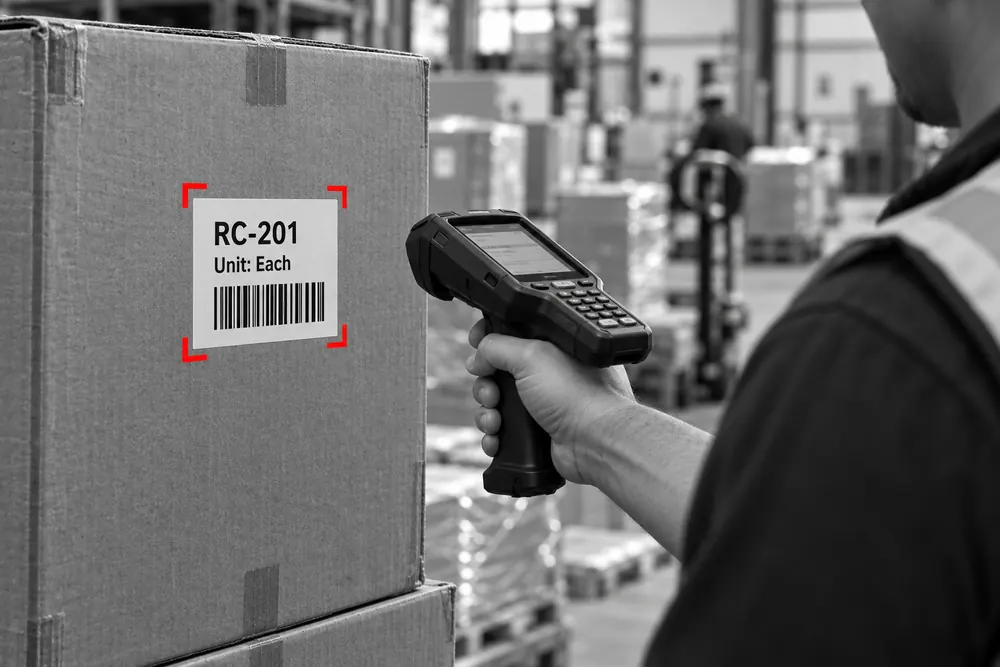
Label capture
Captured details ready for review


Incoming stock verification
Compare incoming items and quantities with the expected receipt. Record the differences that need investigation.

Smart sampling for good faith receiving
Apply sampling checks to selected receipts and record findings that need further investigation.

OCR label capture
Capture labels from dozens of cartons in one shot, including batch details and other label information, without scanning each carton individually.
Give your team a clear record of what was checked and which receiving discrepancies need follow-up.
Warehouse bin location software
Confirm where stock is put away—and where it moves.
A pallet moves, but its location record stays behind. StokSmart guides putaway and records bin changes, helping your team follow where stock is placed and moved.




Source
B02
Destination
B06
P-021
Movement record
Pallet P-021
Source
B02
Destination
B06
Destination confirmed
Operator confirmation recorded

Directed putaway
Give operators a clear storage destination and capture confirmation of where the stock was placed.

Bin movement tracking
Record the source and destination when stock moves between bins, giving your team a location history to follow.
A clear destination for the operator. A recorded movement for the team.
Warehouse cycle counting software
Know what to count next—and why.
There is more stock to verify than your team can count at once. StokSmart brings routine counts and targeted checks into one plan, helping operators understand what needs checking and record what they find.
Counting worklist
Routine + Focus
C04
WH-208
Focus
Low recorded quantity
Awaiting review
Operator 01
Count record
Bin C04 · Item WH-208 · Unit: Each
Low recorded quantity
Counted by Operator 01
Recorded quantity
4
Physical count
2
Difference
−2
Quantity difference
Awaiting review
D02
WH-314
Routine
Scheduled count
Assigned
E05
WH-112
Focus
Priority check
Unassigned
Routine + Focus counting
Maintain regular counting coverage while using AI-assisted prioritisation to direct focused checks. Support risk-based cycle counting with targeted checks on stock that needs attention, including low recorded quantities.
Planning and scheduling
Plan the counting workload, assign checks to operators and use the Dynamic AI Scheduler to organise when tasks take place.
Bin-level cycle counting
Record the physical quantity found for each item and bin, keeping the unit of measure with the count so findings can be compared with the corresponding stock record.
Discrepancy breakdown
Review differences between recorded and counted quantities, organised by discrepancy type, to establish what needs further investigation.
Know what was counted, where a difference was found and what needs review.
Warehouse picking verification software
Check the pick location. Verify the shipment.
An empty bin can interrupt a pick. An incorrect item or quantity can create a mismatch at dispatch. StokSmart helps operators record picking issues and check outbound goods against the picking list.
At the pick location

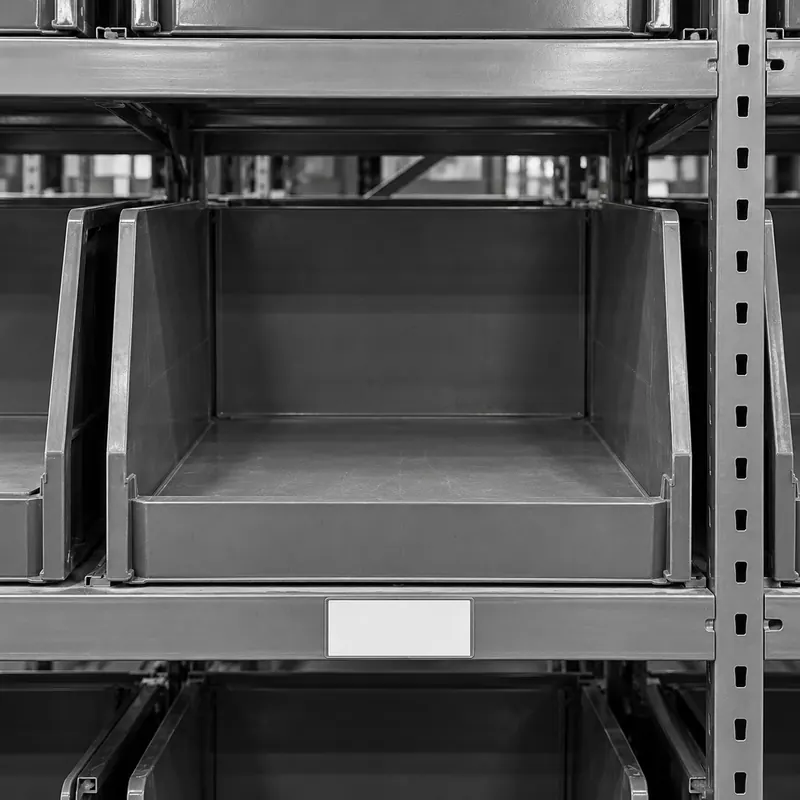
D05


Bin D05
Expected item: OB-306
Bin empty
Picking issue recorded
Pick-location verification
Use One-Click Bin Verification to flag an empty or incorrect bin from the operator’s handheld device. Record the finding so the team can investigate why the pick could not be completed.
02
During picking
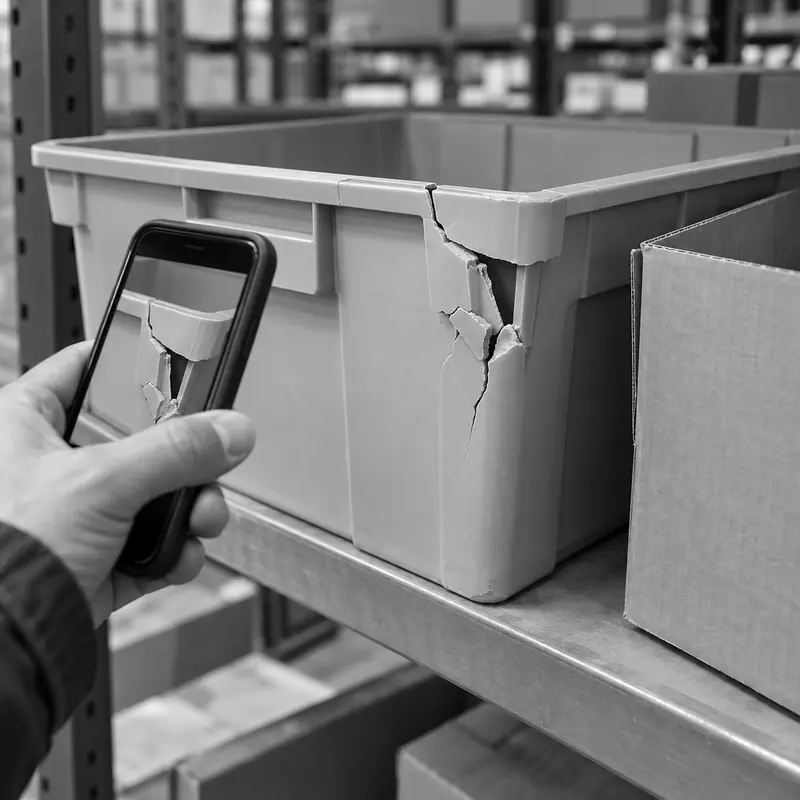
Damaged item
Photo evidence attached
Removed from ATP
ATP: available to pick
Damaged-item reporting
If an operator finds a damaged item during picking, they can report it immediately with photo evidence. The affected stock is removed from ATP (available to pick).
Before dispatch

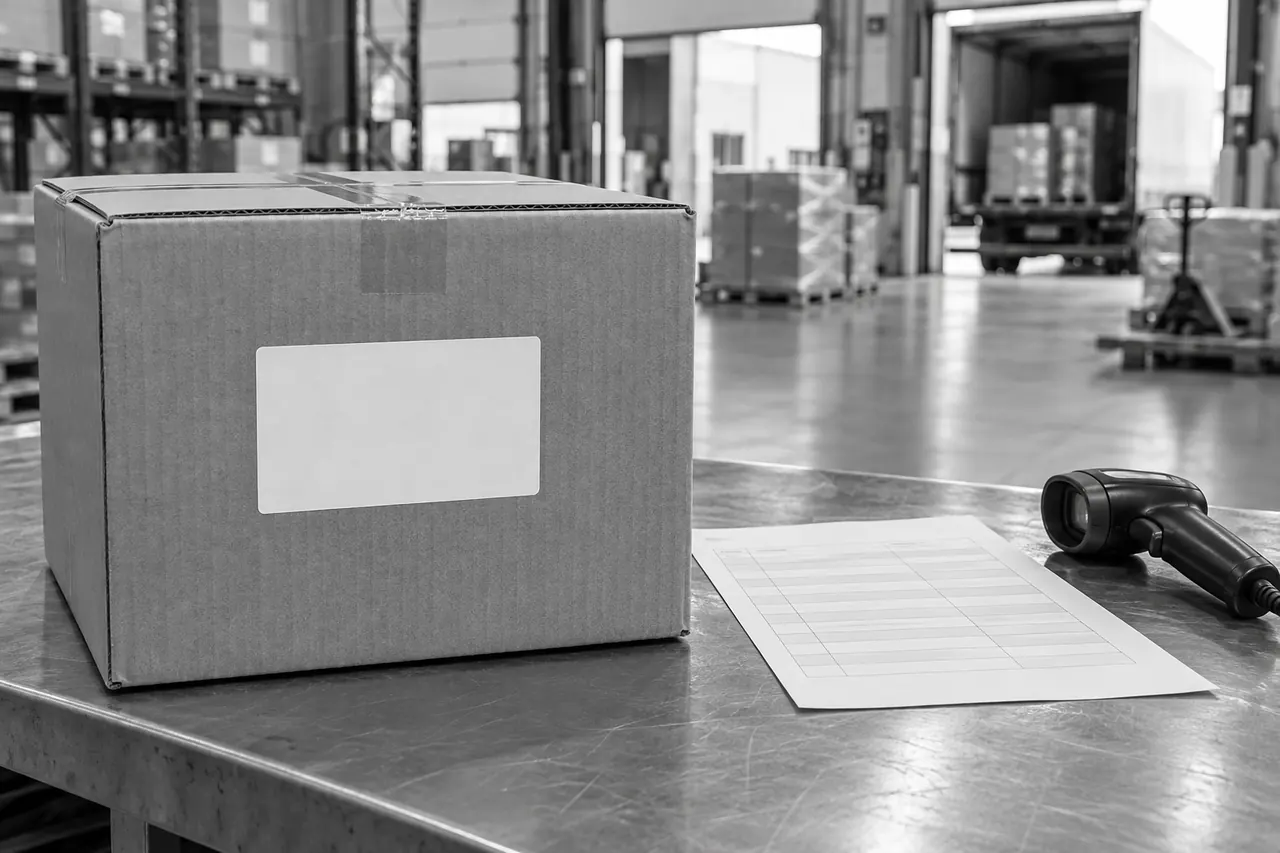
OB-521
Shipment verification
Expected item
OB-512
Checked item
OB-521
Quantity: 6 each
Item mismatch
Needs review
Shipment verification before dispatch
Compare outbound items and quantities with the picking list using scanning or verification workflows. Record mismatches that need follow-up before dispatch.
Give managers the details they need to review outbound discrepancies.
Inventory discrepancy management software
Give warehouse exceptions a clear next step.
A stock difference, a condition change or an approaching expiry date can require a manager’s decision. StokSmart brings warehouse alerts into the Cockpit so the manager can review the finding and choose the next action.
Cockpit
Pending manager review
Discrepancy review
Bin C04 · Item WH-208 · Unit: Each
Recorded quantity
4
Physical count
2
Difference
−2
Choose the next action
Request audit
Approve correction
ERP update: Not submitted
Context and follow-up
Count recorded · Operator 01
Alert raised · Awaiting manager review
“Operator 01: Count submitted for review.”
View warehouse analytics
Ask StokSmart
Inventory adjustment approval workflow
Use Alert Management to bring exceptions to the manager’s attention. In the Cockpit, the manager can request an audit when further checking is needed, or approve a stock correction for regularisation in the ERP.
Stock condition and expiry
Use Live Status Changes and Expiry Date Management to manage stock requiring attention. Review its condition or expiry information and record the appropriate status as the team takes action.
Warehouse inventory analytics and follow-up
Use BI and the AI Assistant to explore warehouse findings and recurring issues. Coordinate follow-up through In-App Messaging, and use the Auditing Tracer to review recorded actions and decisions.
Keep the finding, the decision and the follow-up connected.
Warehouse stock verification software
24 recorded. 18 found. What happens next?
Follow a warehouse inventory reconciliation example for one item across two bins—from the first physical check to an approved location correction.
Example workflow · Item SS-1042 · Unit: Each
01
Start with the recorded stock
Bin A03 shows 24 units. Bin B07 shows zero. The recorded warehouse total for this item is 24.
02
Record the physical finding
The operator counts 18 units in A03. The six-unit difference is recorded for investigation.
03
Request an audit
The manager receives the alert in the Cockpit and requests an audit to investigate the difference.
04
Locate the remaining stock
The audit finds the other six units in B07, following a movement that was not recorded. The verified total across both bins is 24.
05
Approve the location correction
The manager reviews the audit finding and approves the location correction for regularisation in the ERP.
06
Confirm the updated records
After the approved correction is applied, A03 records 18 units and B07 records six.
Starting records
Bin A03
24
recorded
Bin B07
0
recorded
Physical findings
Bin A03
18
Counted during the first check
Bin B07
6
Found during the audit
Movement not recorded
Verified total for this item
24 units
Location | Before investigation | After approved correction |
|---|---|---|
A03 | 24 | 18 |
B07 | 0 | 6 |
Total for this item | 24 | 24 |
24 units accounted for, with both bin records aligned.
See the Cockpit review workflow and discuss how it fits your warehouse.
ERP and WMS integration
How would StokSmart fit your warehouse?
StokSmart adds physical verification and manager review to your warehouse stock control workflow. It works alongside your ERP or WMS, with integration planned around the records, checks and approved updates your operation needs.
How the integration works
Your ERP / WMS
Your ERP or WMS provides the agreed records
Expected stock, locations and transaction data provide the starting point for the selected checks.
Records for selected checks
Approved corrections
StokSmart
StokSmart connects physical findings with review
Operators record what they find. Discrepancy alerts and supporting details reach the manager in the Cockpit.
Approved corrections follow the agreed update process
Manager-approved corrections are applied through the integration. The destination, fields and update timing are confirmed during scoping.
Does StokSmart replace our ERP or WMS?
No. Your existing systems continue to manage their core processes. StokSmart adds physical checks, discrepancy investigation and manager review alongside them.
How does cycle counting integrate with our ERP?
We agree which item references, units, locations and expected quantities support the counts. Findings go through manager review before an approved correction is submitted through the agreed ERP update process.
How does inventory verification work with our WMS?
We identify the WMS records needed for your chosen checks, such as receipts, bin locations or picking lists. Integration planning establishes how those records reach StokSmart and how approved corrections are reflected in the connected systems.
Can we use our existing handheld devices?
We check your device models, scanning requirements and connectivity against the selected workflow before confirming compatibility.
Can we start with one warehouse process?
A focused starting scope could cover cycle counts, receiving or outbound verification. We agree the site, users, data requirements and approval responsibilities before extending the scope.
Which workflows can we see and implement?
The Cockpit alert, audit-request and approval flow can be demonstrated. We’ll confirm which capabilities are ready for your rollout and which remain on the roadmap.
Warehouse demo
Bring one warehouse challenge.Let’s work through it.
A stock discrepancy, a location issue or a picking problem—start with what your team is facing. See the Cockpit alert, audit-request and approval workflow, and discuss how StokSmart could fit your operation and your ERP or WMS.
Tell us which warehouse workflow you want to explore.